
DVSA Photographs at MOT Tests: What Authorised Examiners Need to Do Now
Quick answer
DVSA began the phased national rollout of “photos at test” on 3 August 2026. Around 2,500 garages across Great Britain are receiving the feature in this phase. It allows an MOT tester to take and upload a vehicle photograph during the test using a compatible smartphone or tablet.
At this stage, uploading a photograph is optional. A tester can continue and record the result if a photograph cannot be taken or uploaded, but must select the most appropriate reason in the MOT testing service.
What has changed
The feature adds evidence that the vehicle was present at the authorised testing station at the time of the test. DVSA says it is intended to deter fraudulent testing, support identity verification and improve confidence in the system. It supports the existing inspection; it does not replace any part of the MOT test.
The rollout is phased. A site not selected for the first phase does not need to activate anything immediately and should receive access later. Selected sites should prepare testers and managers before relying on the feature in daily operations.
How photos at test works
Mobile journey
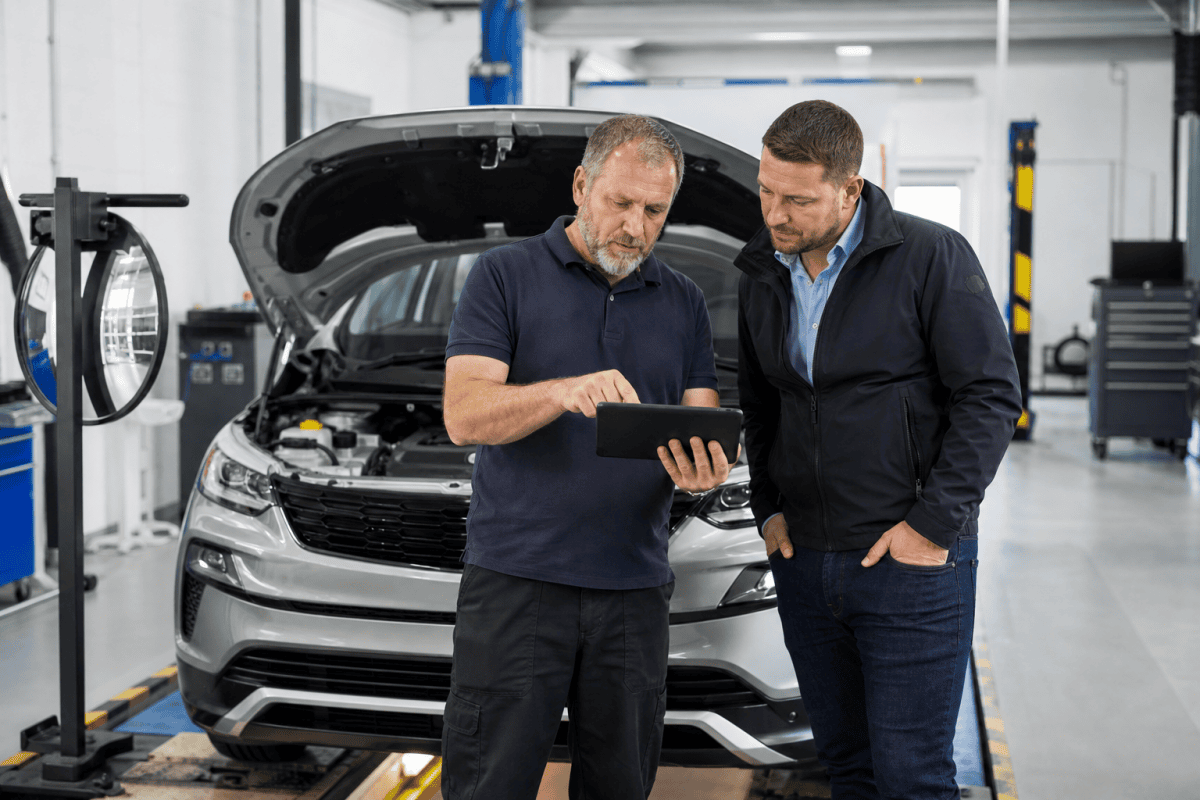
A tester can use a compatible mobile device to register the vehicle, take the photograph and continue the test. No separate app is required.
Desktop and QR-code journey
A tester can start the test on a desktop computer and scan a QR code with a mobile device to take and upload the photograph.
Direct upload
The image is uploaded directly to the MOT testing service. DVSA states that it is not stored in the device’s camera roll or photo gallery.
No-photo reason
If no photograph is uploaded, the tester selects the most appropriate reason. The service will not block the test result solely because a photograph could not be taken or uploaded.
What authorised examiners should do now
Confirm whether the site is selected
Check communications and the MOT testing service rather than assuming every station has the function. Record when access appeared and who was briefed.
Test the equipment and connection
Identify compatible devices, browsers and reliable Wi-Fi or mobile connectivity. Check local security restrictions and camera permissions. DVSA’s trials identified compatibility, browser settings, connectivity and local IT restrictions as common causes of difficulty.
Give testers one written procedure
The local instruction should say when to take the image, how to use the mobile or QR journey, what to do if upload fails and how to select an accurate reason. It should also state that the photograph is additional evidence, not a substitute for any inspection step.
Control use of personal devices
If personal smartphones are permitted, set a proportionate policy covering security, access, screen locking and who can use the device. The direct-upload design reduces the risk of images remaining in a camera roll, but it does not remove the need for sensible device controls.
Monitor the test logs
AEs, AEDMs and site managers should sample test logs. Look for adoption levels, repeated failure reasons, differences between testers and technical problems that need escalation. Record any corrective briefing or equipment action.
Keep an incident trail
Where the feature fails, preserve the vehicle registration or test number, device type, browser, route used and a short description. These are the details DVSA asks garages to provide if problems continue after local checks.
A practical launch checklist
- Name the manager responsible for local rollout and log review.
- Confirm which compatible devices and browsers testers may use.
- Check camera permissions, connectivity and local network restrictions.
- Brief every tester on the direct-upload and QR-code journeys.
- Explain how to choose an accurate reason when no photograph is uploaded.
- Sample the test logs after the first week and record remedial action.
Keep the checklist with the station’s other local compliance records so an AE or AEDM can show what was done when the feature became available.
What not to tell testers
- Do not say photographs are already mandatory: DVSA’s July 2026 notice says they are optional at this stage.
- Do not tell testers to photograph vehicles through the normal camera app and upload later: the service takes and uploads directly.
- Do not stop an otherwise recordable MOT solely because the image fails: the service provides a reason route.
- Do not use a generic reason where a more accurate option is available.
- Do not treat a successful upload as evidence that the inspection itself was compliant.
If DVSA asks questions
Respond factually and preserve the audit trail. Identify whether the issue was equipment, connectivity, permissions, local restriction or user error. Avoid retrospectively changing records or giving an explanation that is not supported. If the query sits alongside wider allegations about testing integrity, site management or authorisation, obtain legal advice before sending a substantive response.
MOT compliance assessment
This paid assessment is for an AE, AEDM, site manager or MOT business facing a DVSA query, investigation, warning or authorisation concern. Send the DVSA communication, relevant dates, site/test details, the people involved and the available logs or screenshots.
We will identify the immediate response issue and the next legal or compliance step. The assessment does not guarantee a DVSA outcome and is not a free document review.
Photos at test FAQs
Is a photograph mandatory from 3 August 2026?
No. The phased feature is optional at this stage, although DVSA strongly encourages use where possible.
Does a tester need an app?
No. DVSA says the feature works through a compatible mobile device or a desktop-to-mobile QR-code journey.
Is the photograph saved on the phone?
DVSA says it uploads directly to the MOT testing service and is not stored in the device’s camera roll or gallery.
Can managers see non-use?
Yes. AEs, AEDMs and site managers can see whether a photograph was uploaded and the reason recorded if it was not.
Official source
DVSA MOT Special Notice 04-26: national rollout of photos at test